On this page
The tailor’s manual
This manual is for the person who alters garments by appointment. Read it with the office open in another window: every chapter is one thing you will actually do, walked step by step, with a screenshot of each page you will see — and where a step belongs to someone else, the walk says so.
What you need. A tailor’s sign-in to the office, and a few minutes per chapter. Nothing here changes your records until you press a save button yourself; the walks show where things are and what happens when you act.
The example shop. The screenshots and the figures come from Linden & Vale — a fictional Toronto boutique with a year of trade, born for these pages. Every figure below was read from its own records on 17 October 2026; nothing is typed by hand. Your own shop’s pages will show your own figures in the same places.
1. Take today’s appointment — start it and complete it
In the office this is the play Offer appointments on a bookable resource — Add the resource appointments book against — a person, a station, a chair — take the request, confirm it so the slot is reserved, and complete it when it happens.
The mechanisms in this chapter: Lists — finding things · A record page
What you will do
Your calendar is a bookable resource the manager set up once; the appointments on it are yours. Take a request, confirm it so the slot is reserved, and complete it when the work is done — the slot frees and the appointment becomes history.
The walk
Where it starts: the office’s Schedulable resources page.
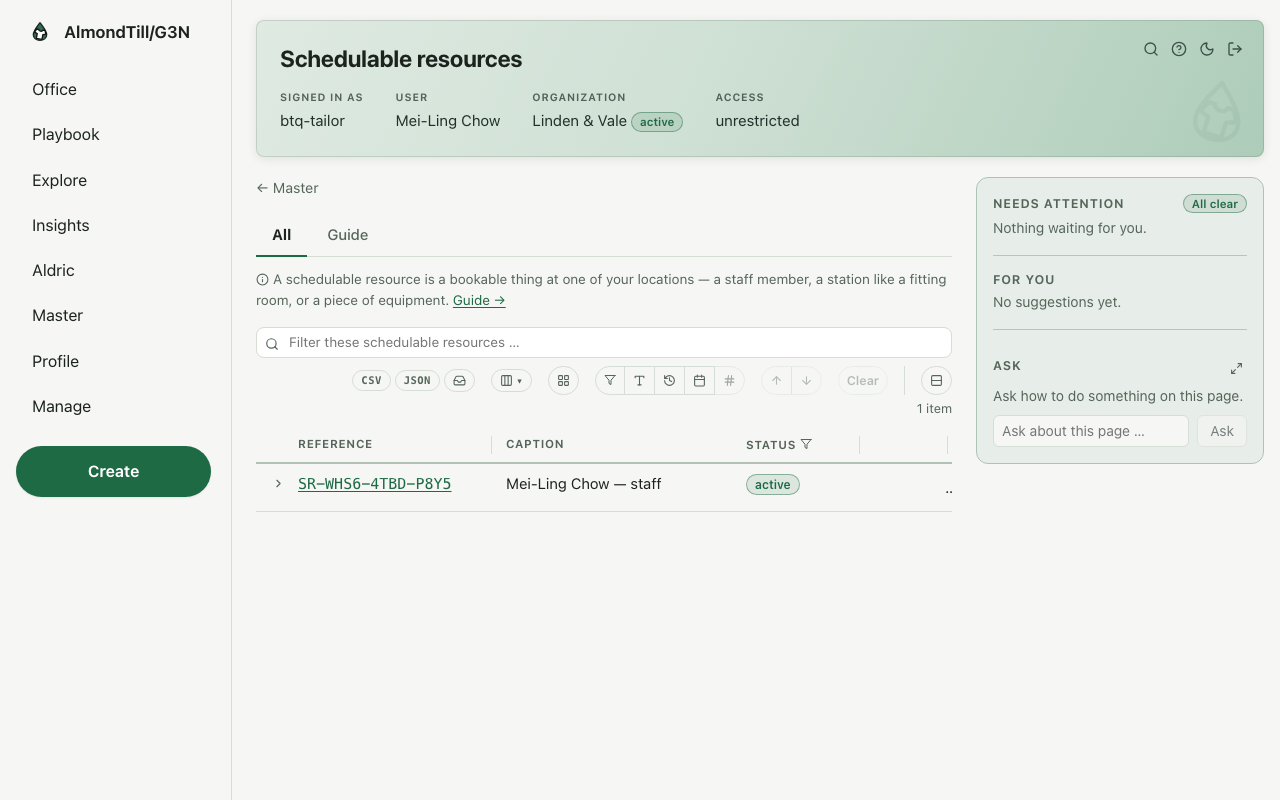
Step 1. Not yours — Add the bookable resource at a location is a manager’s step.
Step 2. Take the request — no capacity is held yet. Open Appointments.
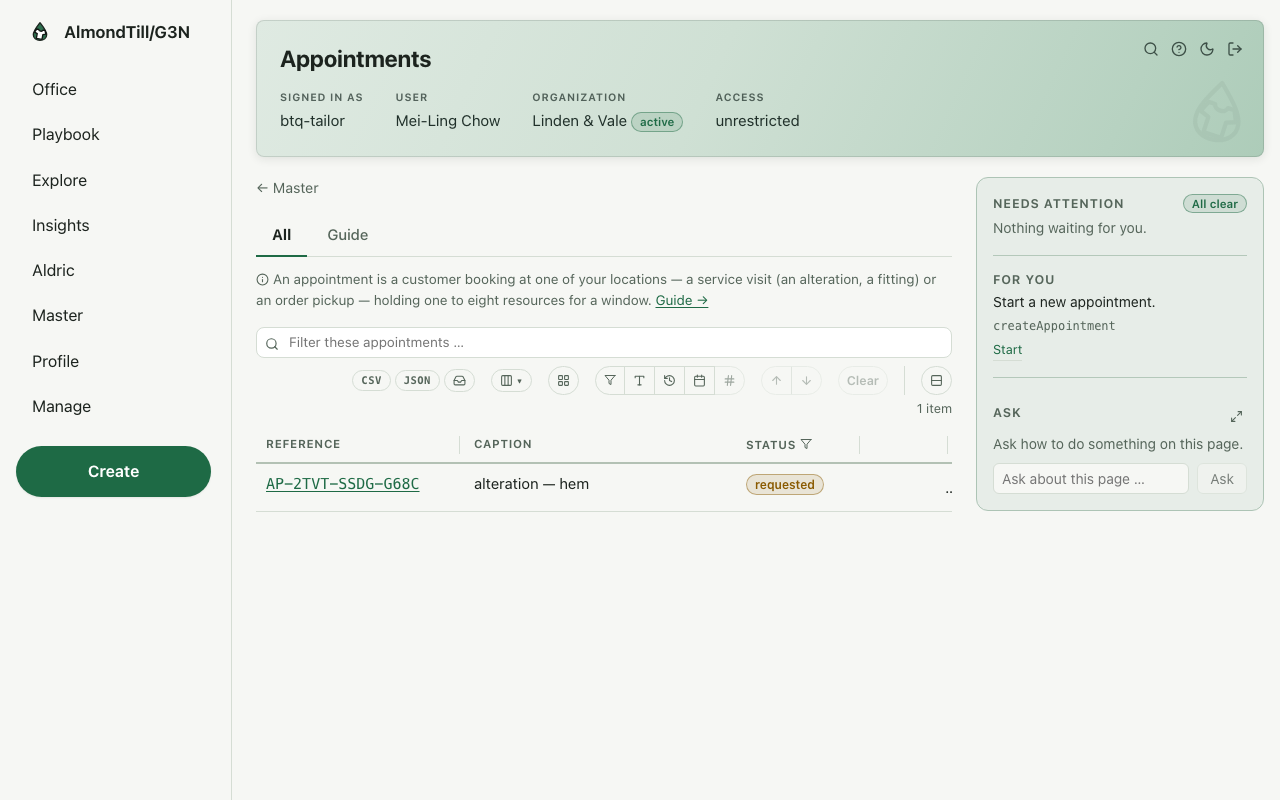
Step 3. Confirm it — the capacity check runs and the slot is reserved.
Step 4. Complete it — immutable history; the slot frees.
What you see
Your calendar in the example shop is the resource Mei-Ling Chow — staff; today’s appointment is alteration — hem.
Try it
- Open Schedulable resources and read your own calendar and its working hours.
- Open Appointments and find today’s; confirm it if it is not yet, and read the slot it holds.
- Complete it when the work is done and read its page — the slot is free again.
Where to learn more
- The appointment record and its operations: Appointment; the resources: Schedulable resource.
- The same walk as the office runs it: Offer appointments on a bookable resource.
- Your course lists the tasks you can do end to end; this one is walked here as your part.
2. Ring the alteration as a service line
In the office this is the play Ring a sale — Start the order, place it — the moment a cart becomes a committed sale — take the payment in cash, card or another tender, and hold an order to pick it up later.
The mechanisms in this chapter: Lists — finding things · A record page
What you will do
Start the order with the alteration as its line, place it — the moment a cart becomes a committed sale — and take the payment. An order the customer steps away from can be held and resumed when they are back.
The walk
Where it starts: the office’s Orders page.
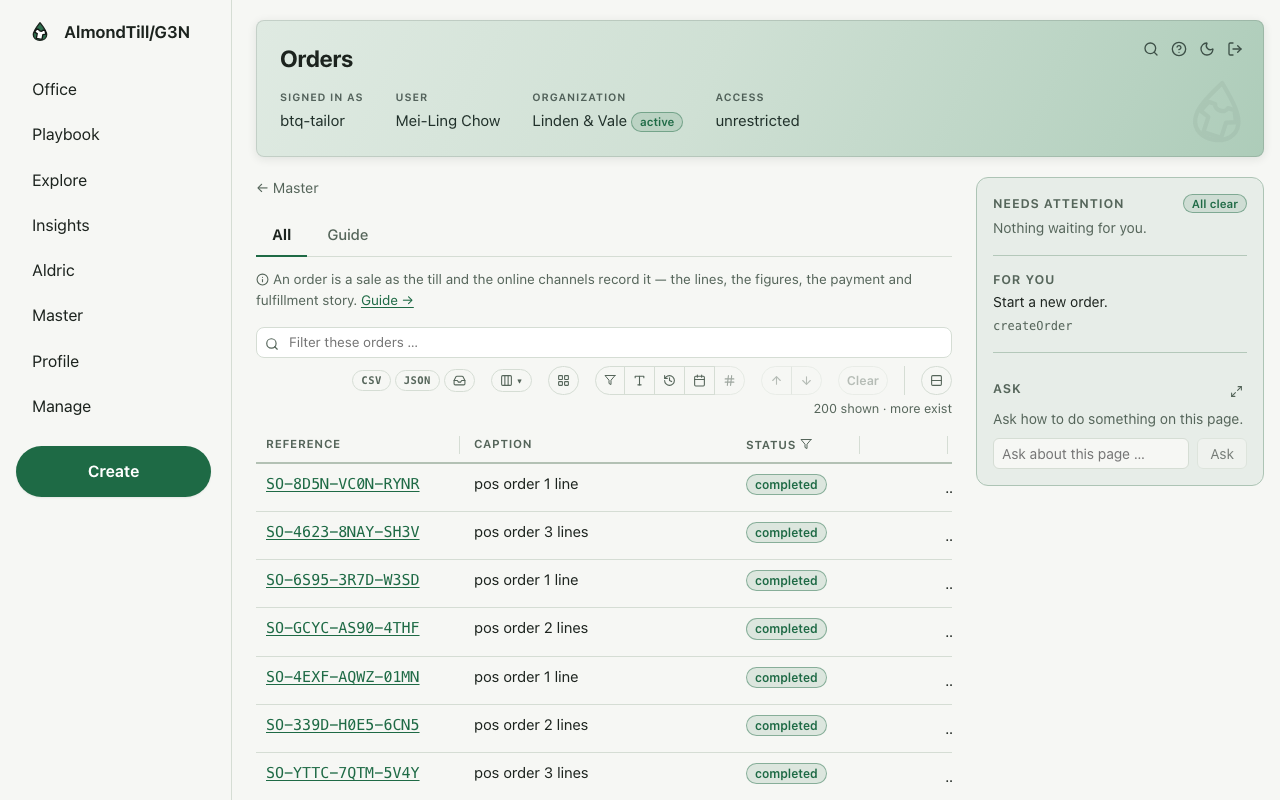
Step 1. Start the order.
Step 2. Place it — prices, minimums and reservations run fresh; the cart becomes a sale.
Step 3. Take the payment — cash needs an open till; every tender is permanent.
Step 4. Put an open order on hold without losing it, and resume it when the customer is back.
What you see
The example shop counts in CAD; an alteration is one line on an ordinary sale, rung on the register or here on the orders page.
Try it
- Open Orders and read today’s sales; open one with a service line.
- Start an order with the alteration as its one line, place it, and take the payment.
- Put an open order on hold, then resume it, and read its page — nothing was lost.
Where to learn more
- The order record and its operations: Order.
- The same walk as the office runs it: Ring a sale.
- The course in the office: on the Playbook, open Learn and the lesson Ring a sale.
3. Add the customer and record their consent
In the office this is the play Add a shopper and record their consent — Create the shopper identity the portals use, keep its details current, record the consent they actually gave and the withdrawal the moment it comes — consent records are legal facts.
The mechanisms in this chapter: Lists — finding things · A record page
What you will do
Create the customer’s profile, keep its details current, and record the consent they actually gave — and the withdrawal the moment it comes. Consent records are legal facts: only what was given, never assumed.
The walk
Where it starts: the office’s Consumers page.
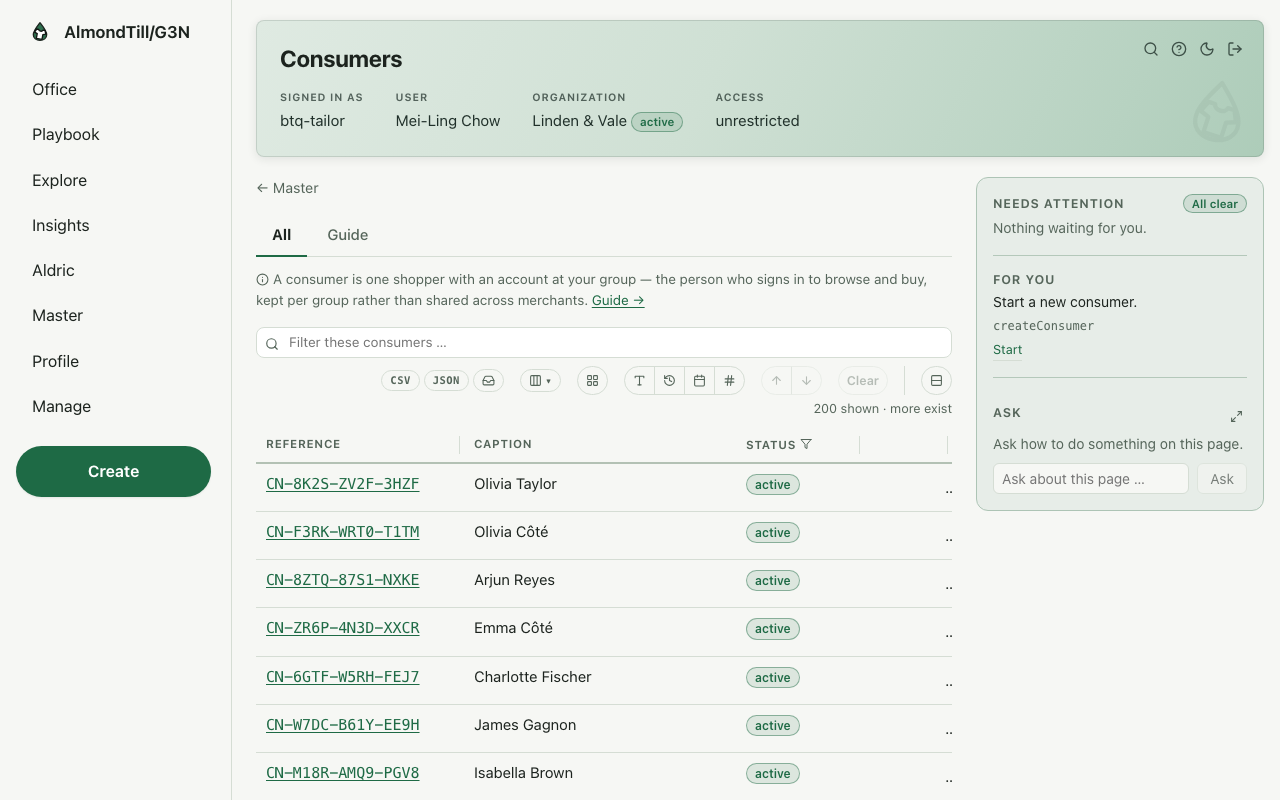
Step 1. Create the shopper profile. Open Consumers.
Step 2. Edit the profile — the change takes effect immediately and writes a revision.
Step 3. Record the consent the shopper gave — only what was actually given — and a withdrawal the moment it comes. Open Consent records.
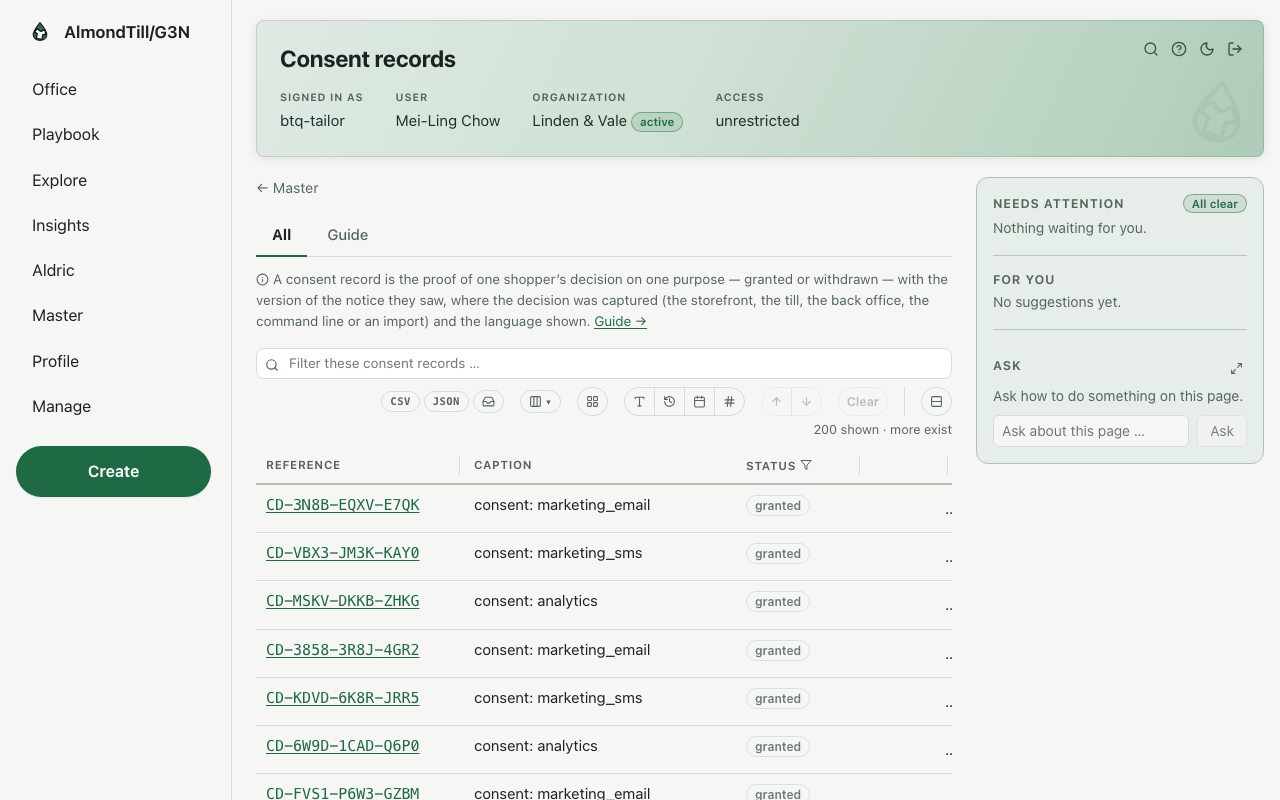
Step 4. Read the decisions as they stand — one row per shopper per purpose.
What you see
The customers of Linden & Vale are one record each; a consent given in the fitting room is written here, and a withdrawal the moment it comes.
Try it
- Open Consumers and create a customer with their name and email.
- Edit the profile and read the revision the change wrote.
- Open Consent records, record the consent they gave, and read the decisions as they stand.
Where to learn more
- The shopper record and its operations: Consumer; the consent records: Consent record.
- The same walk as the office runs it: Add a shopper and record their consent.
- The course in the office: on the Playbook, open Learn and the lesson Add a shopper and record their consent.
4. Handle a customer case
In the office this is the play Handle a customer case from first message to close — Open the case, reply to the customer or leave staff-only notes, and move it through its life — take it, resolve it, close it.
The mechanisms in this chapter: Lists — finding things · A record page
What you will do
Open the case, reply to the customer or leave a staff-only note — messages are permanent — and move it through its life: take it, resolve it, close it.
The walk
Where it starts: the office’s Cases page.
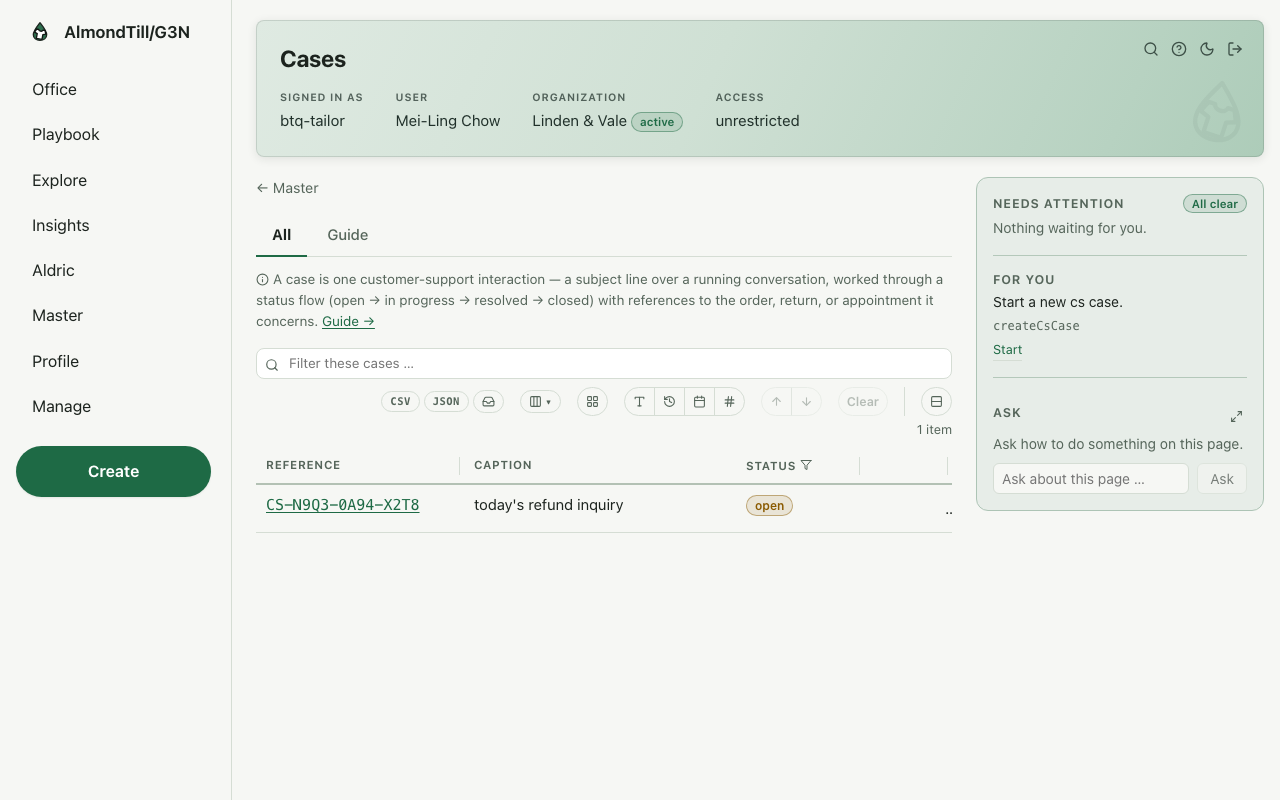
Step 1. Open the case.
Step 2. Reply — visible to the customer, or a staff-only note; messages are permanent.
Step 3. Move the case on — take it, resolve it, close it.
What you see
The example shop is Linden & Vale; a case about an alteration keeps every message, and a staff-only note is never shown to the customer.
Try it
- Open Cases and read the open ones; open one and read its messages in order.
- Reply to the customer, then leave a staff-only note, and read which of the two the customer sees.
- Take the case, resolve it, and close it; read its page once more.
Where to learn more
- The case record and its operations: Customer-support case.
- The same walk as the office runs it: Handle a customer case from first message to close.
- The course in the office: on the Playbook, open Learn and the lesson Handle a customer case from first message to close.
With your assistant
Connect Claude or ChatGPT on the office page Connect your AI assistant.
Ask first: where am I, and what is next? The assistant calls whats_next and answers who you are, what needs your attention and what is yours to do.
The ready-made questions: Start my day · What needs my attention · Show me a report · Walk me through a play · Teach me.
Over your own records only: Till sessions and drawer reconciliation — the Z report · Commissions · Sales by associate.
The plays you can run whole, by shelf: Customers (3) · Selling (2) · Payments & fulfillment (1) · Work (3) · Insights (1) · Integrations (1) · Manage (1).
A change is shown as a rehearsal first. It happens only when the person says yes, as them, within their access.
People, devices, card payments and new organizations stay in the office.